Niice
Sign inRequest a demo

Release Notes2025

Keep up with Niice’s latest product news.

December

Before we yule-log off

We heard you’ve been good this year, so here’s a few stocking fillers.

Improvements

  • Folder blocks have a new layout option! Select “masonry” for a Pinterest-style image grid
  • You can configure which action buttons (download, share link, etc) show up when you hover over a folder block item
  • You can now add captions to items in folder blocks
  • Containers have a new “responsive” toggle, enabling you to configure if and when they should switch to single-column mode
  • Share links can now have an expiry date and password
  • Improved selection and dragging
  • Switched to using a nice consistent blue for selection, rather than your brand color
  • Added the ability to set variables in a theme
  • Added the ability to archive templates
  • Fix for pending invites sometimes not getting cleared when the invite was accepted
  • Fix for not being able to remove actions from images
  • Fix for button icons in templates getting broken
  • Some big performance improvements
November

Winter clean-up

A round-up of polish across the editor — smoother navigation, cleaner layouts, and a bunch of bug fixes to keep everything running as it should.

Improvements

  • Fixed an issue where reordering sections crashed the page
  • Made it so that cards match each other’s height on a page
  • Gave a little more padding to sticky-navs so they don’t cover the title you’re navigating to
  • Improved the UI of the “insert section” button
  • Made it so that collaboration cursors don’t show in preview mode
  • Fixed a scrolling issue where scrolling to the bottom of a page could overshoot the content and create a gap
  • Made it possible to remove the text label on buttons if an icon is used instead
  • Fixed a problem where if the sidebar was set to closed, it wouldn’t open until after the properties panel was opened
  • Made it possible for users to choose which action buttons are shown on a folder block
  • Fixed an issue where some portrait images were showing as landscape in folder blocks
  • Fixed a problem where sample template content couldn’t be deleted
  • Adjusted some of the defaults with how editors and viewers see the background color of the sidebar
  • Made it so that static/preview pages now respect the published status of a page
  • Actions on upload blocks now stay active after content is added

October

New suggested filters for folder blocks

A few new improvements have been brewing — we’ve rolled out a fresh batch of updates, including Suggested Filters, which makes finding the right assets a whole lot smoother.

Tag, you’re it

Suggested Filters turn simple tags into smart shortcuts that help your users filter, focus, and find exactly what they’re looking for.


Other Improvements

  • Fixed a crash that occurred when switching between pages
  • Fixed selection affordances incorrectly appearing when the editor is in read-only mode
  • Enhanced the onboarding landing page experience for first-time SSO users
  • Addressed an issue where metadata & theme variables failed to handle files with spaces in their names
  • Fixed an issue where the original file was loaded instead of the thumbnail
  • Resolved layout-breaking issue in folder block headers on mobile
  • Fixed folder block suggested tags not updating when metadata is edited within the item viewer
  • Addressed an issue where thumbnails didn’t render when creating or editing section templates
  • Added the ability to remove tags from the metadata field editor
  • Corrected “Add members” combobox being visible to non-admin users in access manager

September

Smarter sections and new layout templates

This month’s update includes new tricks for sections, plus a bunch of new layout templates.

Section perfection

We’ve taught sections a few new tricks this month. You can now lock them in place so they don’t budge, and we’ve added a handy shortcut for switching up the background color.

Content layout templates

These pre-designed layouts make it easy to pull a page together in minutes. Simply drop in your content and share, without needing to overthink the structure.


Other Improvements

  • You can now assign theme styles to core elements (like headings) by adding a selector, making it easier to keep styles consistent across your site
  • Added a new gallery view to the insert menu
  • Fixed an issue that caused a “template not found” error when previewing community templates
  • Fixed a problem where search would return the same result more than once
  • Fixed an issue where clicking on a template sometimes showed an error message
  • Fixed a bug where the Doc and Page list block search count didn’t match the displayed results
  • Removed “Create share link” from the button dropdown when a Folder block is empty

August

Wrapping up summer

This month was mostly about tightening things up — a few helpful fixes, a bit of backend housekeeping, and getting everything shipshape for what’s coming next.

Improvements

  • Fixed an issue where the contents menu didn’t work in preview mode
  • Fixed a problem where tag lists didn’t load when editing synced blocks
  • Error resolved when opening scope filters in the Doc List block
  • Made it possible to delete templates
  • Amended how toast notifications are shown
  • Plus a ton of general dev-side cleanup and prep for what’s coming next

July

New logo Delivery pack & other improvements

This month’s update includes a new template pack, plus the usual round of tweaks, fixes, and behind-the-scenes polish.

Logo Delivery

This month, we’ve put together a curated pack of templates to make logo delivery and documentation a whole lot easier, from variations and do’s and don’ts to sizing and download options.


Other Improvements

  • Fixed an issue where scrolling broke if you clicked the back button
  • Fixed an issue where the contents block isn’t selectable in the template editor
  • Improved the “no access” page based on published status
  • Fixed a bug where fonts were getting reloaded a lot, causing glitching
  • Tidied up a small issue with site links
  • Corrected the way synced blocks respond to header blocks
  • Added an extra level of security to the password function in share links
  • Added some useful messaging to show when a share link has expired
  • Fixed a bug where clicking on a nested link didn’t jump down to that heading
  • Fixed an issue where downloads weren’t working properly in the item viewer
  • Fixed a problem where downloads were stalling briefly in some folder blocks
  • Added repeater functionality for container blocks

June

Manage access with Share Links

Introducing share links, plus a bunch of other updates that have kept us busy over the past month.

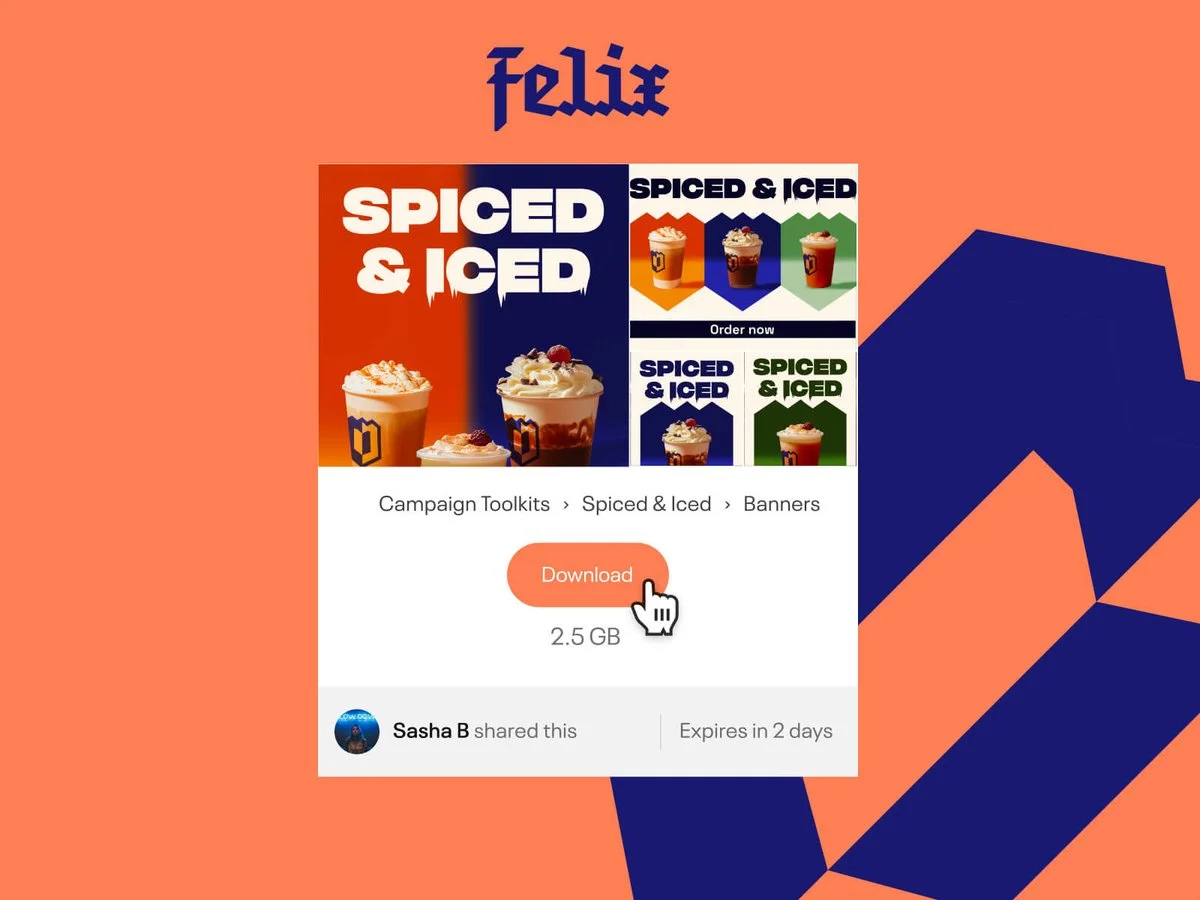
A branded share link in Niice, with expiry and password controls.

A Wee Transfer

With Share Links, you can create a branded space for sharing pages or assets, and set up expiry dates and passwords that you can tweak, update or turn off whenever you like.


Other Improvements

  • We’ve tightened up typographic spacing, so text blocks should line up easier
  • Added a breadcrumb to the share links dashboard to show where the content is linked to
  • You can now view bookmarked block and section templates in the slash and insert menus
  • Fixed an issue where column resizing was broken in some cases
  • Fixed an issue where the grid view wasn’t rendering descriptions for templates
  • Properly categorised block and section templates
  • The slug now updates when the page title is updated on a new site
  • Fixed a glitching issue with the sidebar when moving or nesting pages
  • Added pagination to the main sites page
  • Added the ability to upload .DNG files to a folder block

May

Easy Access Management

This month, we’ve made Access Management as easy as it should be.

Share without second-guessing

Managing who can see your brand assets is simple in Niice. With the new Access Manager, you have full visibility over who can access what across your entire site, and easily make adjustments as your brand grows — without the usual headaches.

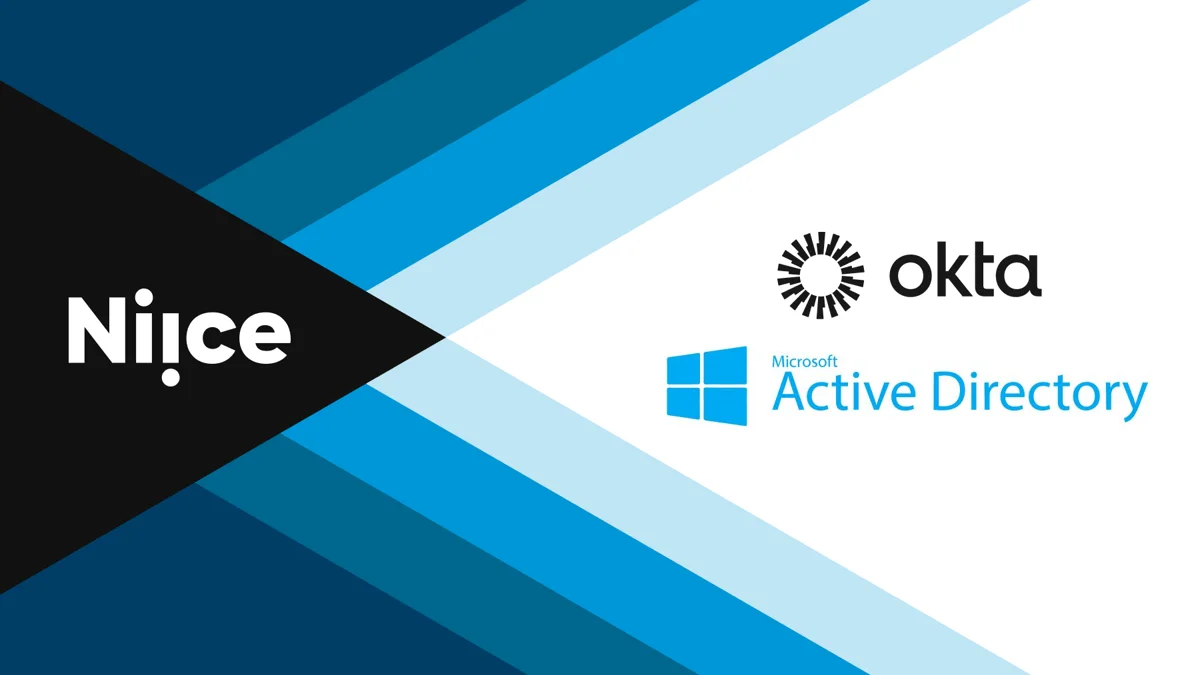
Directory Sync and SCIM group settings in Niice.

Sync or SCIM

We now support Directory Sync and SCIM Groups (System for Cross-domain Identity Management). That’s the technical way of saying your IT folks can manage all your users and groups directly from your Single Sign-On provider, so they don’t have to worry about keeping track. Trust us, those nerds are going to thank you.


Other Improvements

  • Users who try to access a restricted page without logging in are now redirected to the auth screen
  • Fixed an issue where fonts and layout would sometimes glitch when switching tabs
  • When choosing an internal page link, archived pages no longer appear in the list
  • Fixed an issue where editing a bookmarked template would remove the bookmark
  • Tidied up the internal page linking UI
  • The theme style picker now shows “select style” when no theme is applied
  • Redirected niice.co/blog to niice.com/blog
  • Updated the inherited access description to include the name of the parent page
  • Fixed an issue where the Site access thumbnail wasn’t showing in the access manager

April

New S3 Integration & Smarter Templates

Spring is here! Last month on Niice, we made it possible to sync assets to your Amazon S3 bucket, and tidied up the template manager, making it easy for admins to organise, edit and bookmark hub templates.

The Amazon S3 integration settings in Niice.

Sync-happens

Our new AWS integration allows you to automatically save your brand assets to one or more S3 buckets, keeping everything in sync without extra legwork.

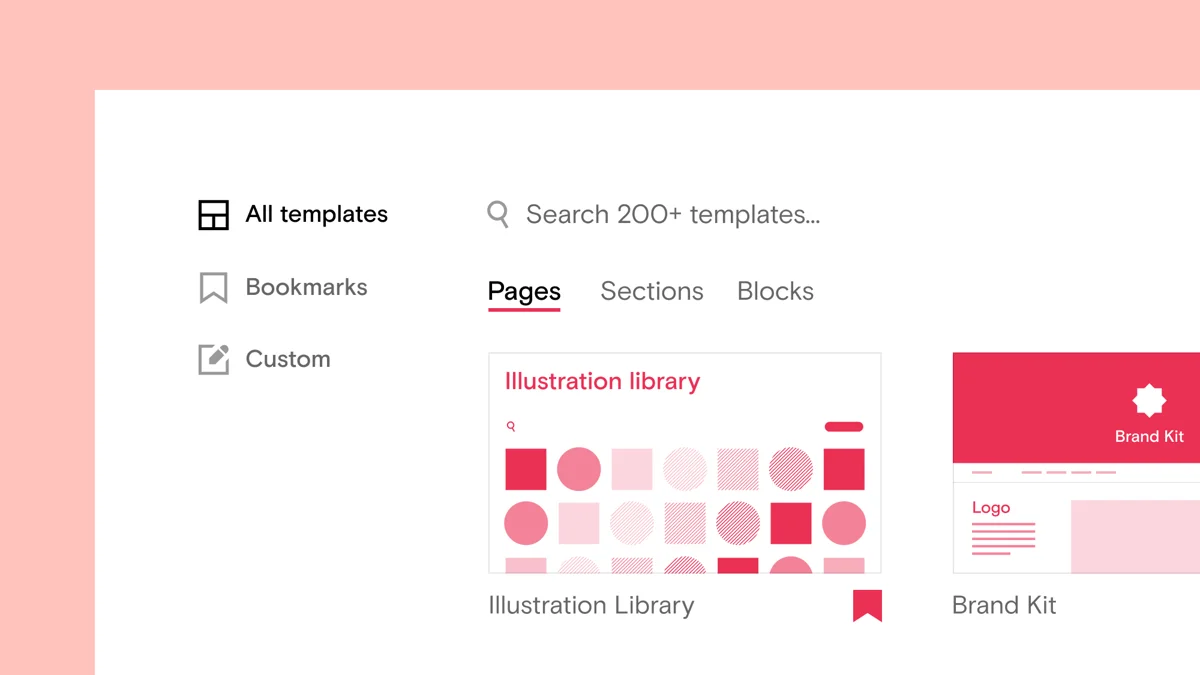
The template manager in Niice, listing every template available to a team.

New: Template Manager

Your new template manager makes it easy to organise and edit all of the templates available to your team. Preview, update, and bookmark them so they’re always to hand, and share a direct link whenever you need to.


Other Improvements

  • Made it so that admins could better manage their account templates
  • Created a link to the templates manager on the control panel
  • Made it possible for them to search for a template within the library
  • Added a way to bookmark a template for later
  • Created a unique link for each template, which can be shared with anyone
  • Solved an issue where template thumbnails didn’t render to the right ratio on the landing page
  • Fixed a bug where the breadcrumb didn’t match up with the page you’re on

March

Spring Cleaning

This month, we rolled up our sleeves for a touch of Spring cleaning. The admin settings got a refresh, we tidied up the internal page link selector, hooked up in-line uploads to the upload manager, and more.

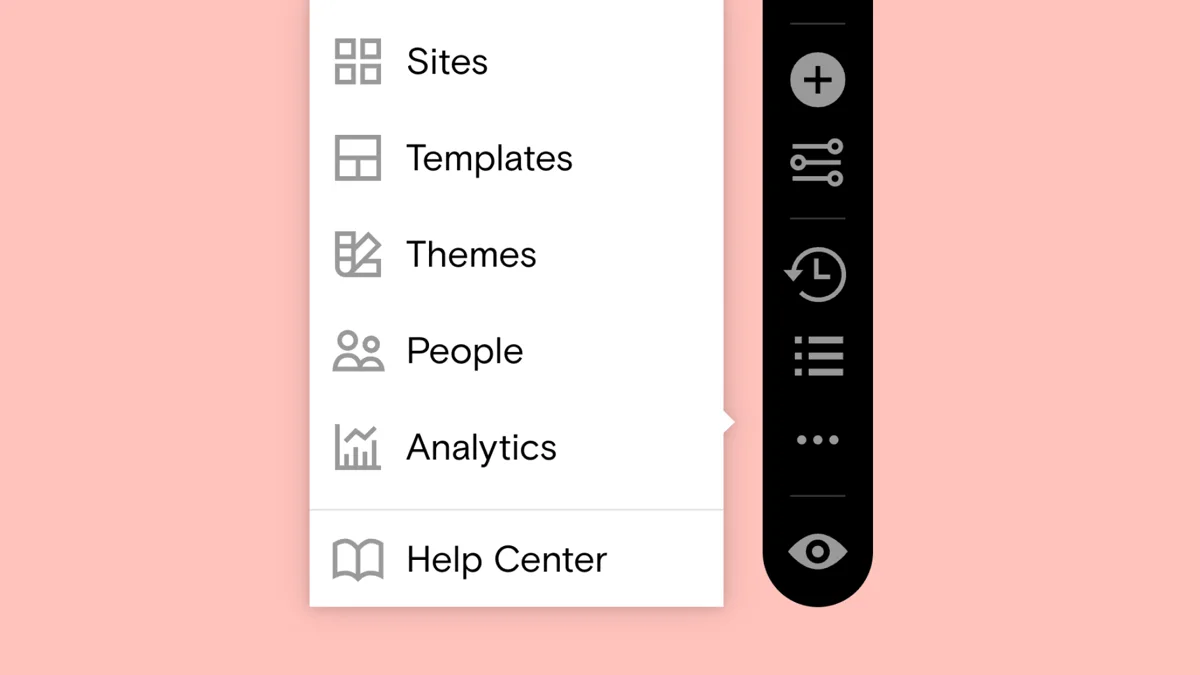
Refreshed admin settings in the Niice toolbar, with shortcuts to templates, themes, people and analytics.

Admin shortcuts

This month we’ve refreshed the admin settings in the toolbar, so admins now have handy shortcuts to templates, themes, people management and analytics all in one place — just a little Spring cleaning to keep things neat and tidy 🧹

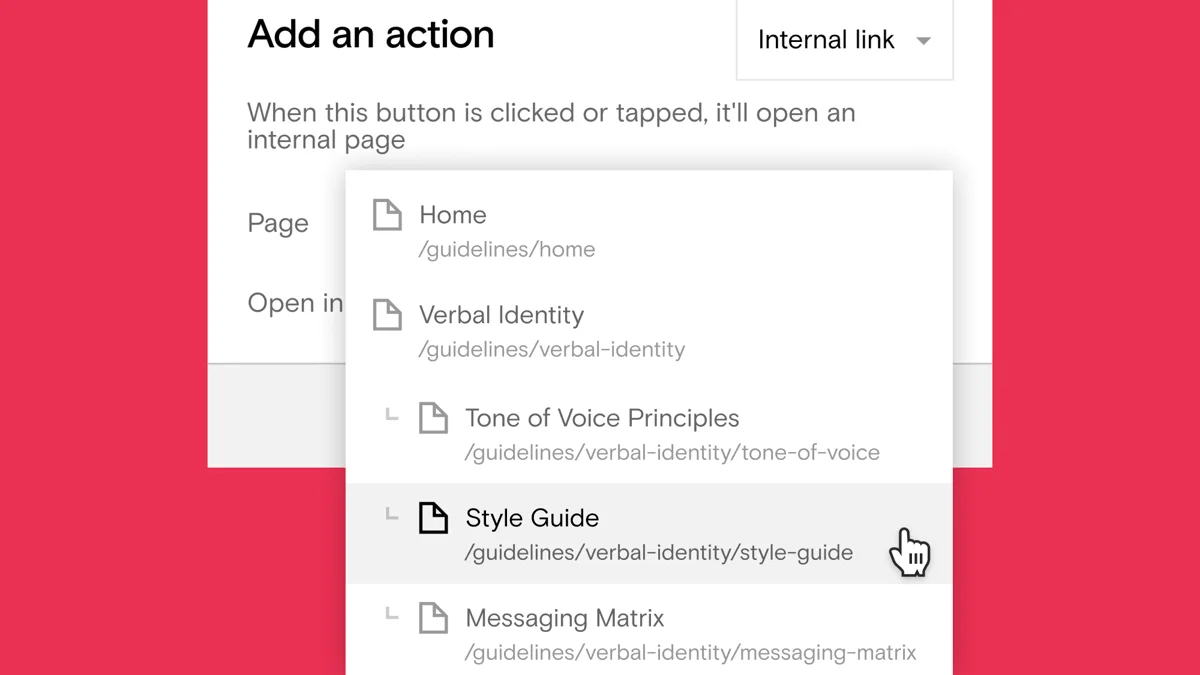
The internal link selector in Niice, showing a site’s page structure.

More internal linking, less internal thinking

We’ve given the internal link selector some much-needed love, making it easier to find the page you’re looking for within your site structure.


Other Improvements

  • Added a new “Add People” button to the Everyone tab on the Groups page
  • Favourited community templates will now show up in the block selector menu
  • You can now set the slug of a new site from the site list block
  • In-line uploads have now been hooked up to the upload manager so you can see their progress
  • Folder block share links now show a breadcrumb for their content
  • The add section menu now shows template previews on hover

February

Unlimited custom themes

This month, we’ve made it easier than ever to create and manage your brand across all your pages. We’ve also rolled out several improvements, including performance boosts, a cleaner UI on admin pages, and more.

You’ve got style(s)

You can now create reusable type styles (as many as you need) that can be applied all across your sites, and updated in one place. While in edit mode, you can quickly switch between your type styles inline, making it easy to apply your brand on the fly.


Other Improvements

  • Streamlined the template creation process to make setup faster and easier
  • Adjusted template URLs for improved usability
  • Admins are now notified when they have pending invites
  • Extended the Page List block cap beyond 20 items
  • Improved API endpoints for better performance
  • Continued working on optimizing page loading speed
  • Reworked the People & Groups pages for a faster experience
  • Copying and pasting text now retains its original styling
  • Resolved an issue where page thumbnails didn’t load in correctly
  • Page thumbnails can now be removed as expected
  • Fixed a bug with creating pages from templates
  • Ensured statistics display correctly on certain pages
  • Improved the UI of the Themes, Share Links and Stats admin pages for a cleaner look

January

Ringing in 2025 with new updates

We’re kicking off the new year in style — a new toolbar to give you a shortcut to your editing tools, a handy panel to manage bulk uploads, plus a ton of other improvements.

Brand new toolbar

We’ve redesigned our toolbar with a one-click shortcut to your editor tools, making editing faster and a lot more convenient.

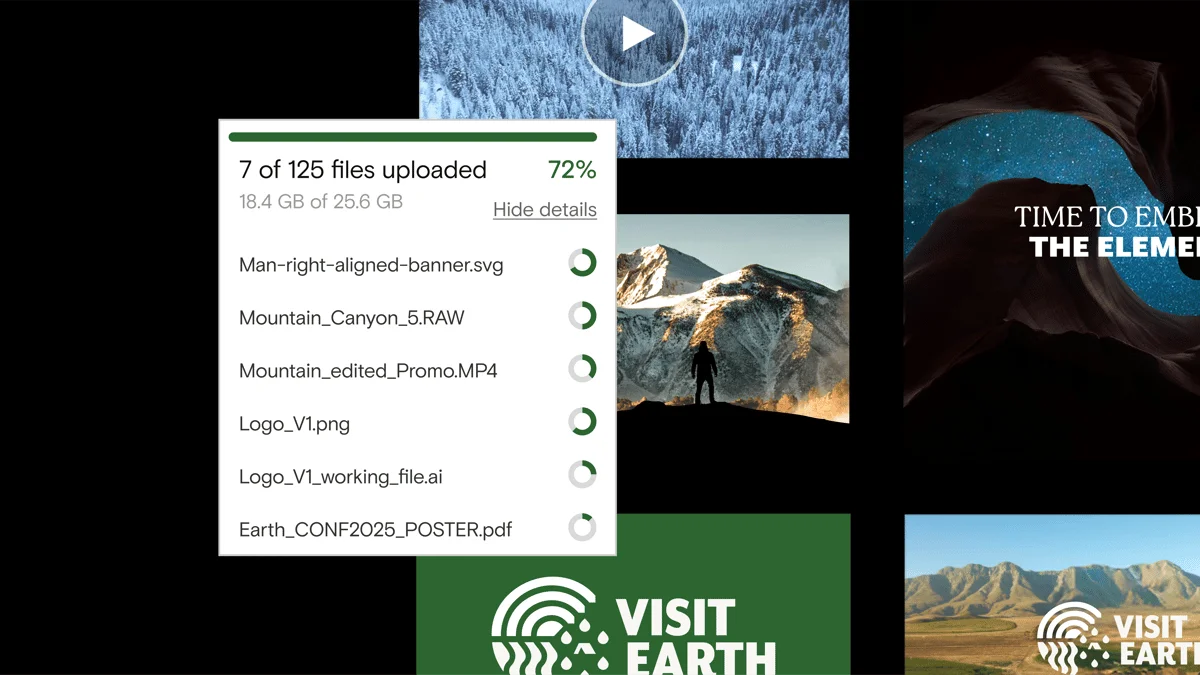
The upload manager in Niice, tracking the progress of files being added to a folder block.

Keep tabs on your uploads

Our new upload manager gives you a handy way to track the progress of assets being added to a folder block.


Other Improvements

  • The “Download All” ZIP now shows a percentage progress as it generates
  • Better blank states for new pages
  • Added the ability to customise the title & description of an upload block
  • Section Menu icons are now clearer and easier to read, no matter the color
  • Introduced page indexing toggle (automatically off) in properties panel
  • Improved labels for member access
  • Pending invites are now displayed more clearly
  • Button blocks now support external links
  • Admins can invite new people to their hubs more easily
  • Made sure uploads have a preview, where possible
  • Resolved an issue where template thumbnails didn’t load correctly
  • Scrolling speed no longer causes page issues
  • The page permissions dialog now works as intended
  • Values in sticky menus now display correctly in CSS
  • Inputting into the Insert menu no longer causes display issues
  • Resolved a bug where you couldn’t remove page thumbnails
  • The slash menu no longer sticks unexpectedly
  • Invitation misdirects bug has been resolved
  • Fixed a problem where the border radius on image blocks didn’t always appear correctly
  • Fixed a permissions issue with pages in draft mode
  • Group member counts now display accurately
  • The search function in the Insert menu now works as expected