Release Notes
Everyone’s access, in one view
See who can reach what on your People page, and change it in a click.
What’s new
Your People page used to just show you who was around, but that was only ever half the story. Now you can see what everyone has access to, all in one view.
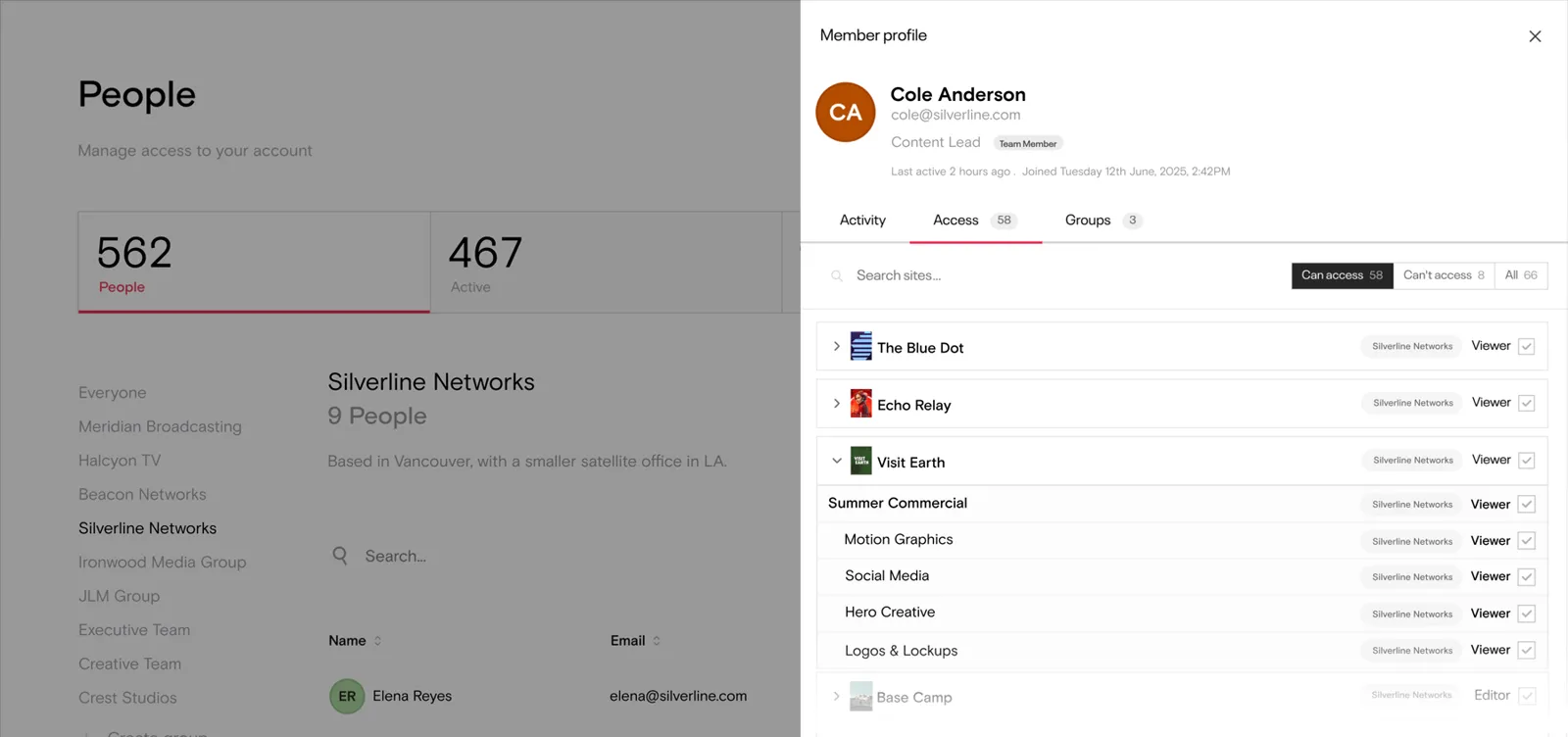
Click on a member on the People page to view their member profile.
How it works
From here, you can grant or remove access across everything right there in the moment, without needing to jump from page to page.
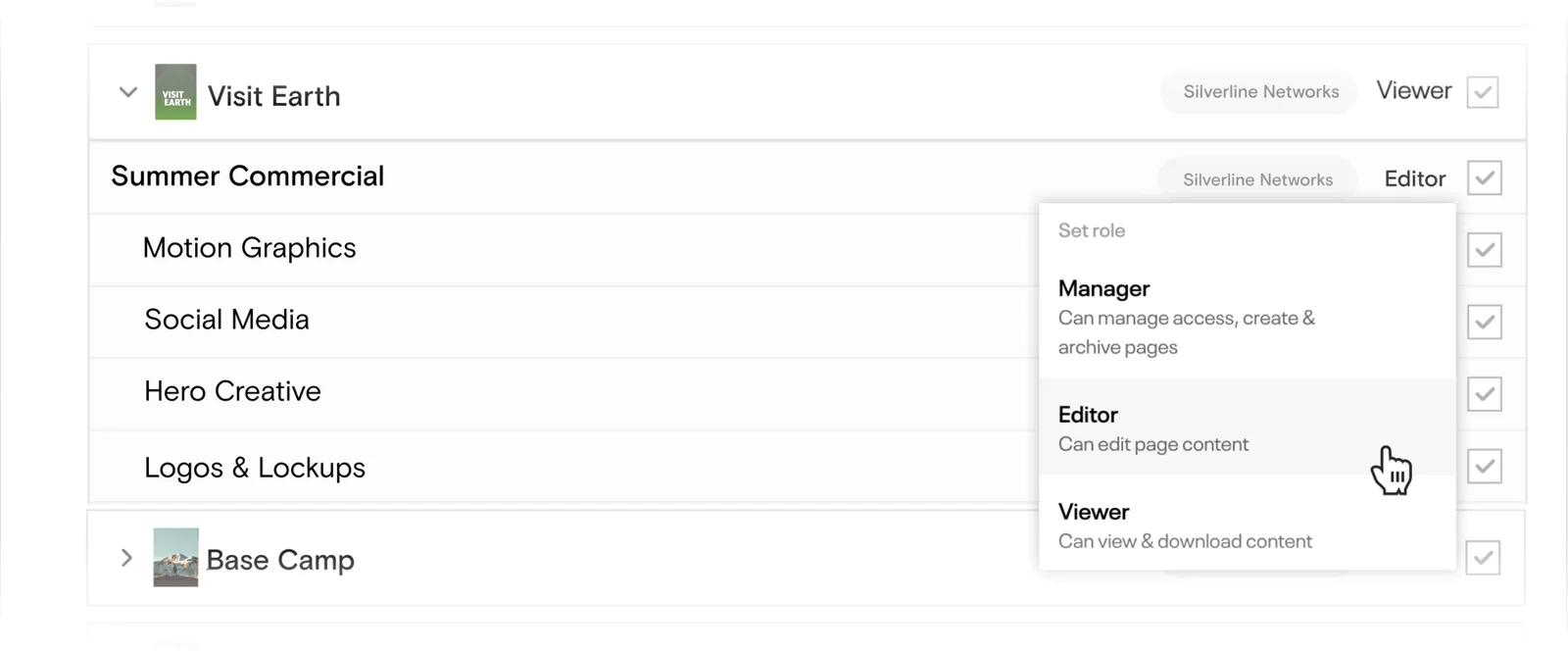
Give members a role: Manager, Editor or Viewer.
When it’s useful
Access has a way of going stale without anyone noticing. For example, if a freelancer wrapped up months ago but never got their login revoked, partners who still use last year’s folder, franchises that can’t find the campaign assets they need, and the deadline’s on Friday.
When you can see everyone in one place, that stuff is a lot easier to catch so you’re able to change it right there and then.